Story
Just In Time AI
Running AI Well Means Managing Everything Around It
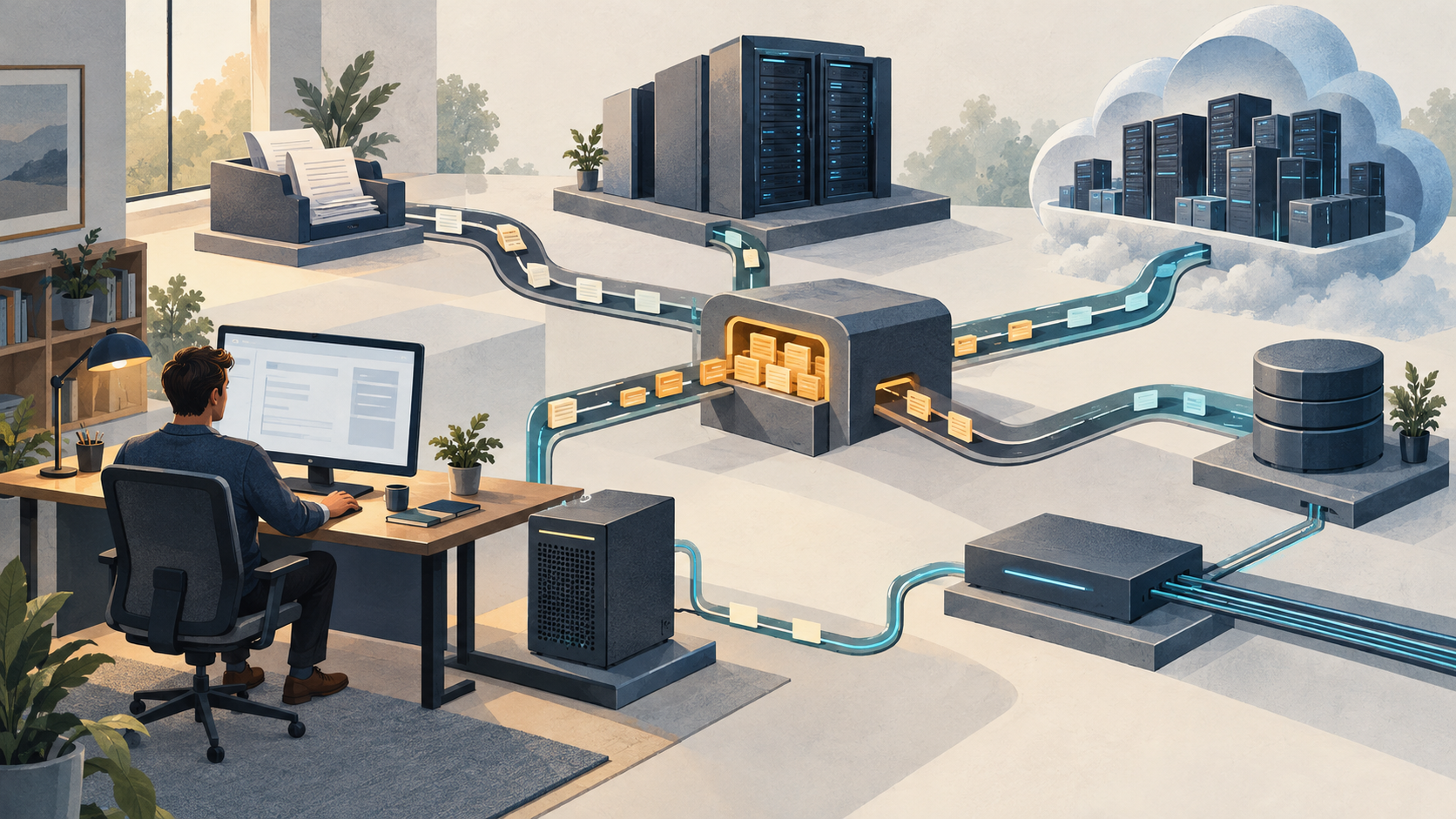
CPU, memory, tokens and runner capacity all need attention. The goal is useful work completed without starving everything else.
Challenge: Can we explain what our AI work is waiting for?
Can we identify what is holding up our AI work—and whether our own automation is creating the shortage?
Every extra worker, repeated check and retry consumes something. If those activities do not advance the result, we can exhaust capacity doing work we did not need to do.
That question reaches beyond the model. A cloud model can be waiting for a local tool. A local model can be competing with a browser, a video render and a test runner. A machine with spare CPU can still be waiting for a service quota to reset.
We own the efficiency of that whole environment. We decide what runs, where it runs, how much it can consume and when it should stop. We also need to know when a constraint belongs to a provider and what choices we have around it.
The payoff is practical: less repeated work, fewer interruptions and a clearer reason for the next capacity investment. We should be able to explain how a change helps us deliver a correct result, not just show that more activity is happening.
What: Which resources does AI work actually depend on?
The AI environment includes the model and everything needed to turn its response into a useful result: applications, tools, runners, storage, networks and other services. It also includes the person whose computer and attention the work consumes.
A runner is simply the machine or service executing a job. That job might test software, extract text from documents, render a video or produce a report. It consumes resources whether or not an AI model started it.
CPU starvation and memory pressure feel different
On a CPU-starved machine, work that is ready to run has to wait for processor time. Commands respond slowly. Builds take longer. Interactive applications compete with background work.
One internal investigation recorded overlapping test suites in a Linux virtual environment on Windows while the host’s CPU was saturated. Several heavy jobs were competing at once. The investigation identified excessive concurrent work as a cause of the contention. Changing the AI model would not remove those test processes.
High CPU use alone is not a failure. It can mean a processor is doing useful work. The concern is whether contention delays the work we care about. Microsoft’s diagnostic guidance examines utilization alongside processor queues and the processes consuming capacity.
Memory pressure creates a different challenge. Applications need working space. When that space becomes scarce, the system may compress memory or move data between memory and storage. Work can become less responsive while the system manages that shortage. An application can also fail to obtain the memory it needs.
An earlier internal local-model evaluation on a Mac recorded severe memory pressure and substantial swapping after the model loaded. A separate attempt returned an empty response. Those observations justify investigating capacity; they do not prove that swapping caused the empty response.
CPU starvation on Windows and memory pressure on macOS are useful examples, not platform rules. Either system can encounter either constraint. Apple’s Memory Pressure indicator considers several signals, including swap rate. A large memory-use figure or some swap usage, by itself, does not establish harmful starvation.
🎓 Lesson
- Identify the resource under pressure before choosing a remedy. A slow response alone does not tell you what needs more capacity.
Want help improving an AI workflow? Explore AI Systems Setup and Coaching for help choosing a useful starting point, building a dependable system and evaluating its business value.
The resource list extends beyond hardware
CPU and memory are only the beginning. This table connects possible symptoms to an initial decision. A symptom can have several causes, so we still need observations to establish the constraint.
| Resource or allowance | Possible symptom | First decision to investigate |
|---|---|---|
| CPU and GPU compute | Jobs and interactive work slow down together | Which competing jobs can wait or run elsewhere? |
| System memory and GPU memory | Memory pressure, swapping or failure to load a model | Can the active model, tools and concurrent jobs fit together? |
| Storage | Slow file processing or failed writes | Do we need free space, faster access or less competing disk activity? |
| Network and downstream services | Transfers or remote calls dominate the wait | Is the constraint transfer volume, service processing or request limits? |
| Tokens and provider quotas | A request exceeds a limit or usage is throttled | Which allowance was reached, and is unnecessary context or repeated work consuming it? |
| Runner slots and execution time | Jobs queue or time out | Should we change priorities, limit concurrent work or add suitable execution capacity? |
| Money and human attention | Spending limits are reached or corrections interrupt other work | Which attempts consume budget or attention without producing an acceptable result? |
Tokens deserve management alongside these resources. Repeated context and unnecessary model calls can consume capacity and budget without improving the result. But cutting essential information to save tokens can create rework. Our articles on context windows and prompt caching explain two distinct concerns: what information fits into a model request, and when previously processed input can be reused. Here, the responsibility is to recognize the constraint and measure useful work against what it consumes.
Cloud, local models and runners change where the constraints live
With a cloud model, inference runs elsewhere. Local file processing, browser automation and other tools may still depend on our machine. Provider capacity, quotas and network dependencies become part of the workflow too. Microsoft’s cloud-model guidance distinguishes capacity measured in requests or tokens per minute from the time an individual request takes.
A local model shares available hardware with the rest of its environment. Its memory needs also depend on how we use it. For example, Ollama documents that concurrent model loading depends on available memory and that parallel requests increase context-memory requirements. Being able to load a model is not the same as having enough capacity for the intended workload.
A separate runner can move heavy jobs away from an employee’s workstation. It still needs appropriate capacity, scheduling and access to its dependencies. Moving several competing jobs onto another undersized machine moves the contention with them.
We therefore need to place each part of the workflow deliberately. The model, document processing and validation do not have to run in the same place. Security, data handling and reliability requirements still apply wherever we put them.
Our own automation can create the shortage
Two internal investigations on October 16, 2026, found repeated work in delivery workflows: broadly selected test suites, overlapping local runs, checks triggered again, and AI agents monitoring long-running mechanical jobs. One also corrected an apparent baseline failure after a clean environment showed that stale dependencies had misled the investigation.
That last finding matters. If we diagnose an environment incorrectly, we can spend more resources repeatedly investigating the wrong problem.
The decision starts before scheduling: does this work need to run again? If it does, what needs checking, and where should it run? Why Does One Bug Filed as Two Tickets Get Fixed Twice? shows how authorizing the same outcome twice can repeat implementation, AI calls and review before anyone notices the overlap.
Verification remains necessary. A previous result is reusable only when its relevant inputs, dependencies and execution conditions still support that result. Shared changes may justify broad testing. The opportunity is to eliminate repetition that adds no assurance while retaining the checks that catch real failures.
The same reasoning applies outside development. A document workflow might repeatedly extract unchanged files. A research assistant might revisit the same material. A reporting job might restart a completed stage after a later stage fails. These are possibilities to investigate, not assumptions about every workflow.
🎉 Tip: Pick one recurring job and find out why it runs again. You can start reducing waste without redesigning the whole environment.
Indexes help us avoid work and route the work that remains
We use indexes heavily, especially for decisions and routing. I consider them a resource-management asset: they help an agent find what we already know and determine where the next task belongs before it starts consuming more capacity.
A source index points to the relevant material so the agent can read what it needs. A decision index points to a previous decision, its reasoning and the conditions under which it applies. Our published example of making architecture decisions findable and citable explains why retaining that reasoning matters. A routing index identifies the appropriate model, tool or person for the task. Together, they can reduce repeated searches, unnecessary context and repeated requests for human attention.
For example, our routing can assign Haiku to bounded research—locating relevant sources and extracting requested facts—instead of using Fable, our higher-capability model route, for the entire pass. Assessing conflicting evidence or making a consequential decision requires a separate judgment about the capability needed. Finding a source and verifying a claim are different tasks.
The resource benefit comes from using that map before starting work. The agent can retrieve an existing decision, check whether it still applies and gather only the missing evidence. We avoid paying repeatedly to rediscover the same information, while keeping the review the decision requires.
An index also needs maintenance. Broken links, stale decisions or unsuitable routing can create more rework than they prevent. Our AI knowledge librarian article illustrates that ongoing curation responsibility. Keep the authoritative source reachable, preserve the conditions behind a decision, and check whether the chosen model produces usable results. Compare the complete cost of gathering, review and correction; a cheaper first pass is useful only when the whole job benefits.
Why: How can more AI activity leave us with less useful work?
Consider a hypothetical team turning a folder of documents into a reviewed client report. Local tools extract the text, a cloud model analyzes it, another job formats the report, and a person checks it.
Adding extraction workers might finish that stage sooner. It might also exhaust memory and make the workstation difficult to use. Increasing model requests might build a queue at the provider. Faster generation might leave the reviewer with more reports than they can check.
The constraint has to be assessed across the workflow. A faster stage is valuable when it improves delivery without imposing a larger cost elsewhere.
Retries deserve particular attention. When a service is overloaded, repeatedly sending the same request can add load and delay recovery. Microsoft describes this as a retry storm. Recovery needs limits and appropriate waiting between attempts; persistence is not a reason to retry indefinitely.
For finance, the useful comparison is cost per accepted result, including failed attempts and rework. Operations needs predictable completion. Employees need a responsive working environment and time to exercise judgment. IT needs enough evidence to distinguish genuine capacity shortages from unnecessary demand.
There is a fair objection: sometimes we really do need more capacity. A workload that remains constrained after avoidable demand is removed may justify a larger machine, a different service tier or a dedicated runner. Scheduling every heavy job outside working hours may also miss a real deadline. The objective is to make that trade-off visible and intentional.
Nor does this require a large monitoring project before we act. Start with a representative job and the observations needed to test a specific explanation. Monitoring also consumes resources; collecting more data is useful only when it helps us make a better decision.
🎓 Lesson
- Judge an optimization by the useful work you complete and the interruptions it removes. A busier system is not sufficient evidence of improvement.
Bottom Line: What should we change before adding more AI capacity?
Choose one recurring workflow that slows down, fails or exceeds its allowance. Define an acceptable result, its deadline and its spending limit before comparing changes. Decide what happens when a limit is reached: pause, preserve completed work where safe, or escalate to the responsible person. When work resumes, reuse saved results only after checking that their inputs and dependencies remain valid. A cheaper run that misses the required result is not an improvement.
Then work through these decisions:
- Observe the work while the issue occurs. Identify the stage, the resource pressure and the other jobs sharing that resource.
- Remove avoidable demand. Consult source and decision indexes before repeating research. Find unnecessary calls and retries that have stopped making progress. Preserve required verification.
- Set limits and priorities. Decide how much concurrency, runtime and budget the work can use. Protect interactive work when it shares the environment.
- Route and place the remaining work appropriately. Use task requirements to select a capable model, tool or reviewer, then suitable local or cloud capacity. Keep security and reliability requirements intact.
- Repeat the comparison. Use comparable work and record completion time, correctness, failures, resource use, cost and human interruptions. Check whether the constraint moved.
Assign someone responsibility for that complete result. A model owner, workstation owner and cloud administrator can each optimize their own component while the workflow remains inefficient.
🎉 Tip: Start with a change whose effect you can observe. You can build confidence from one measured improvement at a time.
Before the next expansion, establish what is waiting, why it is waiting and what evidence would show that the proposed change helped. That gives us a defensible way to invest—and a way to stop paying repeatedly for work we did not need to do.
Frequently Asked Questions
Why is my computer slow when running an AI agent?
An AI agent’s local tools and background jobs can compete with your other applications for CPU, memory and storage. Even when the model runs in the cloud, those local activities may remain on your computer. Observe which processes and resources are under pressure during the slowdown before changing the model or buying hardware. The resource comparison above gives you a starting point.
How do I tell whether an AI tool is using too much CPU or memory?
Compare resource pressure with the work’s progress and its effect on your other applications. High CPU use can be productive, while high memory use alone does not establish harmful memory pressure. Check the consuming processes and relevant pressure indicators while the problem occurs, then compare a controlled change such as reducing concurrent jobs. Keep the result only if useful work or responsiveness improves without sacrificing correctness.
Does running multiple AI agents at once slow down the computer?
Yes, multiple agents can slow down your computer when their combined workloads compete for limited resources. The effect depends on the models, tools and jobs they run, including whether inference is local or hosted. Increase concurrency gradually and compare completed, verified work alongside resource pressure and responsiveness. If more agents add delays or failures, reduce concurrency or move suitable work to separate capacity.
Evidence and provenance: The operating examples draw on internal investigations dated October 16, 2026, and a local-model evaluation dated September 29, 2026. These records are not public benchmarks or a controlled Windows/macOS comparison. The document-to-report workflow is hypothetical. Public technical references are linked where used; proposed remedies are not presented as measured savings.